
Managed SQL Server for Linux on-prem, in the cloud, or both
Version: 2019, 2022
ClusterControl is a SQL Server management platform that automates the full lifecycle of your Linux-based Always On clusters. Whether on-prem, cloud, or hybrid — gain unmatched transparency, control, and infrastructure sovereignty, without being locked into vendor-managed services.
Unlock More with ClusterControl + SQL Server

Deploy SQL Server in One Click
Deploy SQL Server standalone or AlwaysOn on Linux clusters. Configure replicas in minutes via an intuitive GUI.

Enterprise-Grade Backup & PITR
Schedule full, differential, and log backups with compression and restore to any point.

Advanced Health & Query Monitoring
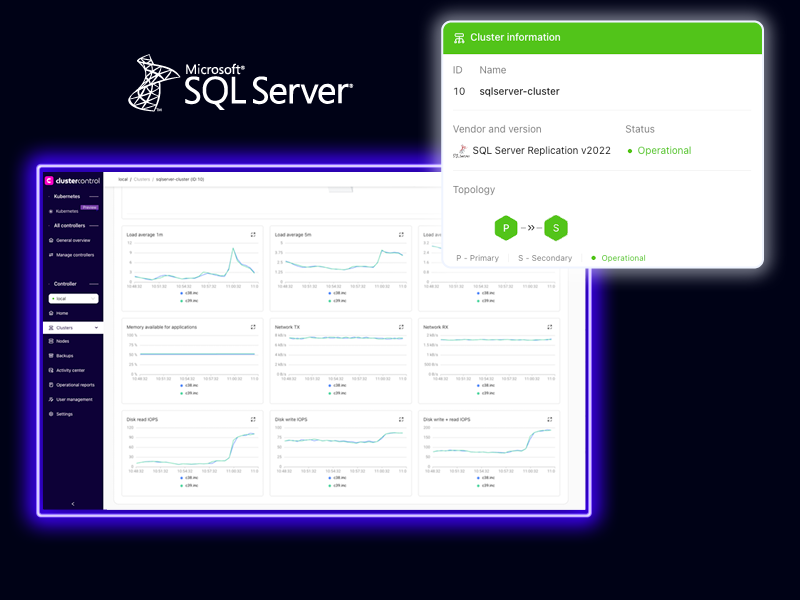
Get real-time metrics on cluster load, query execution, disk I/O, and node status — plus advisor-driven recommendations and alerting.

Scale & Reconfigure Seamlessly
Add and rebuild replicas and rebalance workloads — all from a single interface with hands-off orchestration.

Own the Entire Security Stack
Enforce RBAC, LDAP / AD, and audit logging. ClusterControl keeps authentication, transport, and governance under your direct operational control.

Failover & Healing Automation
ClusterControl monitors AG state, triggers automatic failover, and recovers degraded replicas — ensuring resilience with minimal human intervention.
ClusterControl vs. the Alternatives
ClusterControl is the SQL Server cluster manager built for engineers and trusted by enterprises.
| Feature | ClusterControl | Amazon RDS for SQL Server |
|---|---|---|
| On‑prem & hybrid support |  | X |
| Always On HA automation | | |
| Full control over ops | | Limited |
| Lifecycle automation | | Partial |
| Advanced observability | | Limited |
Still Managing SQL Server by Hand? Time to Upgrade.
ClusterControl is the SQL Server management platform DevOps teams actually want. Built for engineers. Trusted by enterprises. Made for your infrastructure.
ClusterControl supports your entire SQL Server lifecycle:
Deploy: Set up AlwaysOn Availability Groups across Linux-based SQL Server nodes using guided workflows.
Observe: Track replica lag, AG status, disk usage, and query metrics with customizable dashboards.
Protect: Automate full, differential, and log backups with cloud retention and PITR.
Scale: Add, remove, rebuild or promote nodes with minimal disruption.
Automate: Toggle auto-failover or manually trigger self-healing actions.
We found ClusterControl provided more flexibility and a better user experience than any of the other solutions we evaluated.

Supported SQL Server Configurations
Supported Distributions
Choose from robust SQL Server deployments and flexible installation methods tailored for Linux environments:
- SQL Server for Linux – Official cross-platform distribution of Microsoft SQL Server, fully supported on Linux environments.
ClusterControl also supports installations through vendor-provided repositories (e.g., Microsoft’s Linux repo), operating system package managers (like APT or YUM), or custom binaries—offering maximum deployment flexibility.
Replication types
Optimize your SQL Server on Linux with resilient, enterprise-grade replication and HA options:
- Always On Availability Groups – Advanced high-availability and disaster recovery solution with options for both synchronous and asynchronous commit modes, including support for read-scale replicas.
- Hybrid HA via Pacemaker – Leverage Pacemaker clusters to enable automatic failover (Active‑Active or Active‑Passive), especially useful for setups without shared storage.
Severalnines is Enterprise Ready

Reliable
Zero-downtime operations you can count on.

Secure
Data stays protected, at rest and in transit.

Compliant
GDPR, SOC 2, ISO27001 standards.
Managed SQL Server on Linux features list
| Licenses | |
| Enterprise | |
| Cluster management | |
| Deploy / import cluster | |
| Add / duplicate / remove / decommission node | |
| High availability | |
| Automated failover | |
| Asynchronous replication | |
| Backup / restore | |
| Full / differential backups | |
| Local / cloud backups | |
| Backup compression | |
| Observability | |
| Infrastructure / database / query monitoring | |
| Dashboarding / alerting | |
| Security / compliance | |
| Role-based access control | |
| Key management | |
| LDAP integration | |
| TLS encryption | |
| Reporting | |
| Audit log | |
Security & compliance you can trust
ClusterControl is built with enterprise-grade security to safeguard your data and maintain compliance:
• Role-Based Access Control & Key Management
• LDAP Integration & TLS Encryption
• Comprehensive Audit Logs & Reporting

Top rated Docs
I’ve deployed SQL Server on Windows before but never on Linux. What do I need to know prior to using ClusterControl?
As with all our database deployments: Nothing. Welcome to simplified database installations that just quite honestly take the pain away.
Do you allow SQL Server deployments on Windows?
We’re studying the possibility, but for now, it’s only for Linux.
In addition to providing statistics on SQL Server and its performance, what about the underlying systems?
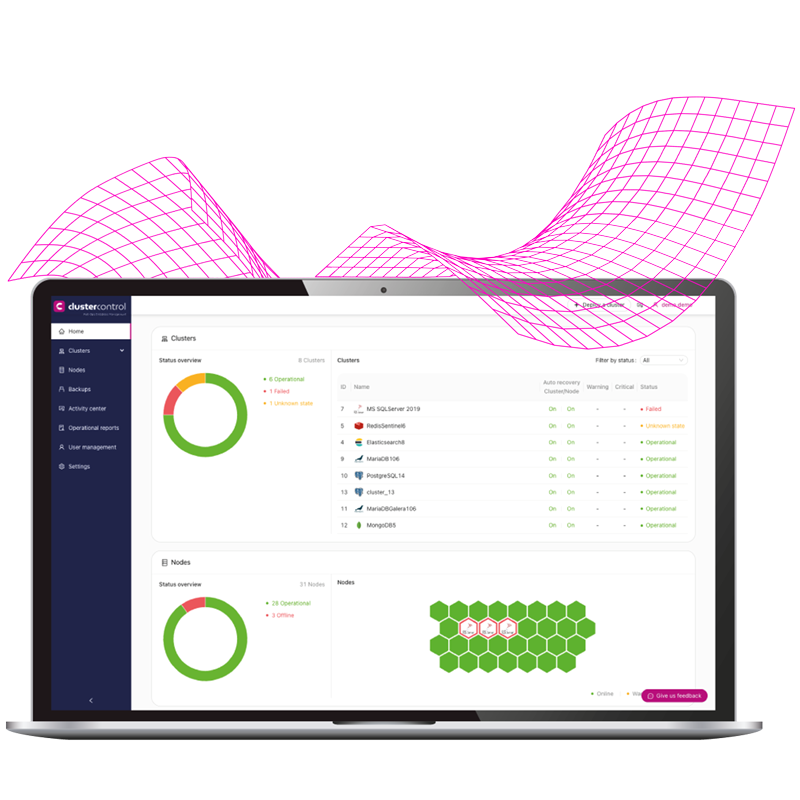
Of course, on the main dashboard, you can view both the system, cluster, and per-node SQL Server host dashboard.